

Thursday, October 27, 2016
Pumpkin Project Using ArtHub and ChatterPix
I absolutely love this fun idea from 1st grade teacher Mrs. Peel. She used the step by step drawing directions at Art Hub. They then took photos of their drawings and used the app ChatterPix Kids to make them talk. After saving to the camera roll of their iPads, they could load to Seesaw to share. Great job, Mrs. Peel & 1st graders!

Monday, October 24, 2016


Wednesday, October 19, 2016
Bat Facts with PicCollage Kids

Tuesday, October 18, 2016
Write About Halloween Costumes! Activity Using Draw with Us App

Monday, October 17, 2016
Computer Lab Favorites from Scholastic

This is an awesome resource for those of you looking for center ideas on computers, laptops or Chromebooks (and I know there are many of you in search of a solution for this)! Scholastic has put together a website with computer lab favorites that is sortable by grade band. Students can choose any of the 15-30 minute activities from the wheel above. Excellent, engaging activities for computer lab or center time. Thanks to Sara Malchow @smalchow for sharing this resource!

Sunday, October 16, 2016
Just Updated my Collection of Free Apps!
I updated my collection of "Free Apps I Would Put On Every K-2 iPad". Check it out here:
Keyboarding Resources

If you have access to computers, laptops or Chromebooks, an excellent activity at centers is to let your students practice keyboarding skills. I updated my Participate Learning collection with resources for teachers. I also put together a Symbaloo - this would be easy to allow students to access from a center and practice their keyboarding skills. Most websites on the Symbaloo are to typing games, but check out Typing Club or Typing.com (at the bottom of the Symbaloo) for leveled activities. I would recommend using a combination of both leveled activities and keyboarding games with your students.

Thursday, October 13, 2016
Mimio Interactive Writing Idea Using the Story Halloween Night
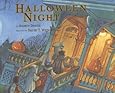
Mrs. Elenbaas was awesome enough to share this great interactive writing idea using the story Halloween Night by Arden Druce. This story is perfect for practicing can, said and quotation marks during interactive writing. She created a Mimio Notebook file with pictures. Students then use the pen to interactively write a sentence to go with each picture. An example on the witch page is to have students interactively write: "I can fly."
This activity could easily be moved from whole group interactive writing to an independent writing project, making a class book on paper or using an app like Book Creator. Each student could illustrate their own character and write an "I can ___" sentence about that character.
Thanks, Mrs. Elenbaas, for this great idea and for sharing your Mimio Notebook file with us! CLICK HERE to download and use in your own classroom.
Wednesday, October 12, 2016
Seesaw at Parent-Teacher Conferences
Parent-teacher conferences are a fantastic time to show your parents some work samples that have been posted into Seesaw by your students. Even if you have already invited parents to view their kiddos' work in Seesaw, showcasing this tool at conferences can be an awesome reminder about what they'll be able to discover by checking out their son or daughter's learning journal on a regular basis.


Big Pumpkin Activities using FREE iPad Apps!

Thanks to my friend Mrs. Peel, this is my ABSOLUTE FAVORITE EVER Halloween story to read with students. It also might have something to do with this jaunty little song (I do a spot on impersonation of the Mummy) that goes along with the story.
At any rate, I love it, and so do kids! Using this story as the basis for some story comprehension makes this skill fun and engaging. Throwing in some good, FREE iPad apps doesn't hurt, either. Read on to find out about some of the activities we did in kindergarten and 1st grade this week using our interactive whiteboards, PicCollage Kids, Chatterpix Kids, Shadow Puppet Edu and (of course) Seesaw!
Tuesday, October 11, 2016
Create Magic with Seesaw Class 11/10/16

FREE App for Fire Prevention Week: Sparky's Firehouse
The National Fire Prevention Association has a new FREE app that is perfect for National Fire Prevention Week. This fun and engaging app teaches students how to stay safe in case of a fire, and also incorporates math and literacy skills. Check it out by clicking below, and read a detailed description of the app on the Kids Activities Blog.

Subscribe to:
Posts (Atom)