
Monday, October 31, 2016

Breakout Edu with 1st Graders!


Interactive Writing on your Interactive Whiteboard
Here is another super easy example from Mrs. Elenbaas' kindergarten of using your interactive board or projector for interactive writing. Simply open a blank Mimio Notebook file (or ActivInspire flipchart, if you have a Promethean board) and insert a picture. Mrs. Elenbaas used Halloween-themed pictures like bats and spiders for her writing today. Then, have students use the Mimio pen as you would a marker on chart paper. So easy and is great to keep and print!


Sunday, October 30, 2016

Thursday, October 27, 2016
Pumpkin Project Using ArtHub and ChatterPix
I absolutely love this fun idea from 1st grade teacher Mrs. Peel. She used the step by step drawing directions at Art Hub. They then took photos of their drawings and used the app ChatterPix Kids to make them talk. After saving to the camera roll of their iPads, they could load to Seesaw to share. Great job, Mrs. Peel & 1st graders!

Monday, October 24, 2016


Wednesday, October 19, 2016
Bat Facts with PicCollage Kids

Tuesday, October 18, 2016
Write About Halloween Costumes! Activity Using Draw with Us App

Monday, October 17, 2016
Computer Lab Favorites from Scholastic

This is an awesome resource for those of you looking for center ideas on computers, laptops or Chromebooks (and I know there are many of you in search of a solution for this)! Scholastic has put together a website with computer lab favorites that is sortable by grade band. Students can choose any of the 15-30 minute activities from the wheel above. Excellent, engaging activities for computer lab or center time. Thanks to Sara Malchow @smalchow for sharing this resource!

Sunday, October 16, 2016
Just Updated my Collection of Free Apps!
I updated my collection of "Free Apps I Would Put On Every K-2 iPad". Check it out here:
Keyboarding Resources

If you have access to computers, laptops or Chromebooks, an excellent activity at centers is to let your students practice keyboarding skills. I updated my Participate Learning collection with resources for teachers. I also put together a Symbaloo - this would be easy to allow students to access from a center and practice their keyboarding skills. Most websites on the Symbaloo are to typing games, but check out Typing Club or Typing.com (at the bottom of the Symbaloo) for leveled activities. I would recommend using a combination of both leveled activities and keyboarding games with your students.

Thursday, October 13, 2016
Mimio Interactive Writing Idea Using the Story Halloween Night
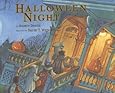
Mrs. Elenbaas was awesome enough to share this great interactive writing idea using the story Halloween Night by Arden Druce. This story is perfect for practicing can, said and quotation marks during interactive writing. She created a Mimio Notebook file with pictures. Students then use the pen to interactively write a sentence to go with each picture. An example on the witch page is to have students interactively write: "I can fly."
This activity could easily be moved from whole group interactive writing to an independent writing project, making a class book on paper or using an app like Book Creator. Each student could illustrate their own character and write an "I can ___" sentence about that character.
Thanks, Mrs. Elenbaas, for this great idea and for sharing your Mimio Notebook file with us! CLICK HERE to download and use in your own classroom.
Subscribe to:
Posts (Atom)