

Thursday, March 31, 2016

Theme Poems
It may be almost April Fool's Day, but this app is no joke ... super cool and FREE, it would be a great way to celebrate April, Poetry Month, with your students. Theme Poem is made by Read, Write, Think (if you haven't checked out their website, um ... you should. It's great.) and is a simple way for students to create fun themed poems that they could then print or, I don't know ... post to Seesaw! If you use it, let me know. I'd love to share some examples.
Wednesday, March 30, 2016
Spring Poems on Seesaw
I really loved this idea from Ms. Oringer's first grade, and wanted to share it with you! She had her students write springtime poems, using their senses. Here is an example:
I see sunshine.
I feel warm grass.
I smell flowers.
I hear birds.
I taste lemonade.
It is spring!
The students then used Seesaw to draw a detailed illustration to go with their poem, then typed the words to their poem and read the poem into Seesaw using the microphone tool. Ms. Oringer will then use the new Seesaw QR print feature to post QR codes of these poems around her room, for students to scan and listen to, and for parents to enjoy during conferences.


Adobe Voice at Tech Fair 2016
I have written a couple of posts about Adobe Voice, and it's quickly becoming one of my favorite tools to use in the classroom! I am always amazed by how fast students learn to use it, and are excited about creating a project with this app.
Today I visited Highland, and we used Adobe Voice in 1st and 2nd grades to make projects. In Mr. Anderson's 1st grade, we had begun researching animal habitats earlier, and they were now putting their research into the Adobe Voice format to share with parents at conferences. Mr. Anderson used large sheets of paper to signal to students what information they should include, and what should be on each slide.

Today I visited Highland, and we used Adobe Voice in 1st and 2nd grades to make projects. In Mr. Anderson's 1st grade, we had begun researching animal habitats earlier, and they were now putting their research into the Adobe Voice format to share with parents at conferences. Mr. Anderson used large sheets of paper to signal to students what information they should include, and what should be on each slide.

Make Your Own Osmo Lessons

Many teachers have this fantastic tool in their classrooms, but not all know how to use it effectively. Students love the hands-on engagement that Osmo provides, and there are wonderful games including Tangrams, Words & Numbers that keep students busy and engaged. However, did you know that you can actually create your own lessons for your students to use on Osmo? Create an account at myOsmo, and add lessons there! I know some teachers who use this to practice student names, sight words and spelling words.
Monday, March 21, 2016
Sign Up for the first ever BPS Book Club, April 4th-May 2nd!
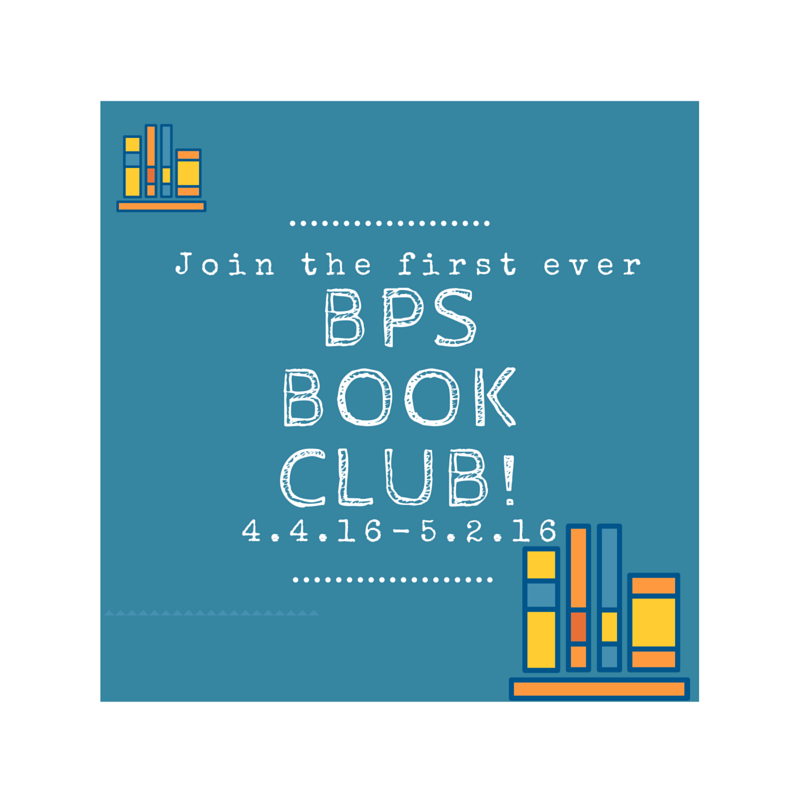
Billings K-8 teachers!
You are invited to join the first ever BPS Book Club April 4th-May 2nd, 2016! This idea was derived from the Global Read Aloud, which was created to encourage classrooms throughout the globe to connect by reading a story together.
Our BPS Book Club will focus on connecting classes here in Billings! Keep reading for more info and to sign up!
Seesaw Ideas for Parent-Teacher Conferences


Thursday, March 17, 2016
Shadow Puppet Edu
Here is a quick (5 minute) tutorial for using the FREE app Shadow Puppet Edu to let your students create videos in your classroom. This could be used for SO MANY THINGS! They could share learning from an inquiry project, retell a story, create a story, make a math numbers book, or .... ??? What else?! Share ideas for how you would use this app in the comments.

Wednesday, March 16, 2016
All About That GAFE Participate Learning Collection from Haddy Wanner
Alkali Creek 2nd grade teacher and TILT member Haddy Wanner put together this awesome collection of resources for using GAFE in primary. Participate Learning is an awesome place to search for resources (you can search by grade level, subject area, skill, etc) and also to share digital tools you use in your classrooms! It's super easy to use and a great way to share favorite websites, apps, videos and lesson resources for particular concepts or subject areas.
Way to go, Haddy!
Way to go, Haddy!
St. Patrick's Day Idea Using Adobe Voice or Puppets Edu
Here is a super fun St. Patrick's Day idea that could be done using either Adobe Voice, which I've written about before, or a fun alternative called Puppets Edu. (Both are free!)


Using either of these apps, students can create impressive videos that tell information or facts they've learned, create a story, or explain how they did something. They're both easy to use and share easily to Seesaw or other digital portfolio platforms.
Tuesday, March 15, 2016
Resources from Tonight's #BPSedchat

If you missed Night 3 of #BPSedchat (which is AWESOME, thanks to +Ann Brucker) never fear! Billings teachers shared so many amazing resources, and you can see them all here! Whoop! Whoop! Click below to view our curated collection of tools and resources, thanks to Participate Learning.
Some favorites that were mentioned by several people are: Newsela, Seesaw, Planbook, Class Dojo, Wonderopolis & Pixabay! Browse through the collection below to view these and more! And it's never too late to join in the chat - if you're interested email bpstis@billingsschools.org!
Literably Awesome for Running Records
I heard about this app at NCCE, and then Julie Dannenberg shared this awesome post with me! It's a free app to help track running records. Seriously, I don't know what else to say. How cool is that?!?! Click the image blow to read Amanda Madden's blog post and and click the app icon to check it out on the app store.


Tech Fair 2016 - Pay it Forward and Present!
Tech Fair cannot happen without awesome teachers like you sharing what you know and the great things that are happening in your classroom! Think about presenting!
Monday, March 14, 2016
Animal Inquiry with ChatterPix Kids
The first grade teachers at Broadwater have been teaching their students about animal habitats. I posted an example of using the Sock Puppets app to tell what they learned. Here is another idea using ChatterPix Kids. Mrs. Stanaway's students also used the reading app Epic! to conduct their research. As they listened to the stories in Epic!, they took notes in their writing journals about the animals.

Subscribe to:
Posts (Atom)