
Showing posts with label GAFE. Show all posts
Showing posts with label GAFE. Show all posts
Monday, August 29, 2016

Wednesday, August 17, 2016
Back to School Newsletter Using Seesaw!

I absolutely LOVE this idea from Angela Gadtke from Seesaw. She has created a back to school letter template that can be posted on Seesaw and scanned using the Seesaw QR code feature. This would be a fun way to introduce students and parents to Seesaw, as well as a fun "meet the teacher" intro! Click the image to be taken to an editable Google Drawing with instructions on how to use this template.
Another idea is to create an "about me" collage using the free app Pic Collage for Kids, then post this to Seesaw and provide parents and students with the Seesaw QR code to scan. Here's an example of that idea from Kami Butterfield.


Wednesday, March 16, 2016
All About That GAFE Participate Learning Collection from Haddy Wanner
Alkali Creek 2nd grade teacher and TILT member Haddy Wanner put together this awesome collection of resources for using GAFE in primary. Participate Learning is an awesome place to search for resources (you can search by grade level, subject area, skill, etc) and also to share digital tools you use in your classrooms! It's super easy to use and a great way to share favorite websites, apps, videos and lesson resources for particular concepts or subject areas.
Way to go, Haddy!
Way to go, Haddy!
Thursday, March 10, 2016
Don't Let the Pigeon Use the GAFE - But Your Kids Can!
Fill out the form below to join my workshop about using Google Apps for Education in primary classrooms. This workshop will be held from 3:00-5:00pm on April 13th at Lincoln Center, room 308. We will also talk about Seesaw, and how it can be used to help your students access GAFE and share their GAFE creations.


Monday, February 8, 2016
Tech Icon Posters
So, I know I'm a nerd, but I am absolutely in love with these alphabet posters created by Erin Flanagan! There are GAFE and iPad posters available for purchase ($3) from her TpT store, Erintegration. (Seriously, that's clever, right?) I think they are such an awesome way to promote digital literacy in your classroom, and familiarize your students with the icons and logos they'll be using consistently when working with technology.
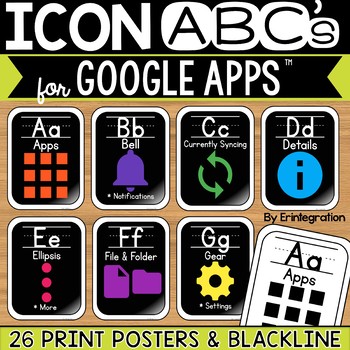
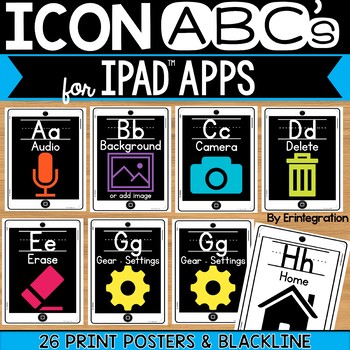
P.S. They come in different fonts, for those of you who are cursive and D'Nealian kind of folks!
Thursday, December 10, 2015
Christmas Traditions Collaboration
I am Geeking out in the House at McKinley all day, and I got to join in on this awesome activity with Ms. Lambert's 3rd graders and Ms. Ketterling's 1st graders. They are collaborating by sharing Christmas traditions with one another. They began by connecting using the site appear.in This allows the students to see and chat with one another.
They then open a collaborative Google doc that looks like this:
 The 1st graders worked whole group with Ms. Ketterling doing the typing. The 3rd graders logged into their D2 apps and were able to work individually. You will notice that the 3rd grade spots in the document are numbered - Ms. Lambert assigned each student a number so they know which square to begin typing in. The 1st graders then asked questions that the 3rd graders could answer. What a fun way to collaborate, and allow students to share special family traditions that happen in their homes during the holidays!
At the end of the activity, they checked in with each other again using the appear.in tool. This is a simple, free tool to use. I like how it allows multiple people to access your "room", so you could collaborate with more than one classroom at one time.
Ms. K & Ms. L thought of this idea last year when Ms. Lambert's room was located in Lincoln Center during construction. But it was still fun even though they are in the same building. And I love the idea of using this to connect with other classrooms across the district - or even outside of Billings! Thanks for the awesome idea, ladies!


They then open a collaborative Google doc that looks like this:

At the end of the activity, they checked in with each other again using the appear.in tool. This is a simple, free tool to use. I like how it allows multiple people to access your "room", so you could collaborate with more than one classroom at one time.
Ms. K & Ms. L thought of this idea last year when Ms. Lambert's room was located in Lincoln Center during construction. But it was still fun even though they are in the same building. And I love the idea of using this to connect with other classrooms across the district - or even outside of Billings! Thanks for the awesome idea, ladies!


Subscribe to:
Posts (Atom)