Click the image above to view larger.
Showing posts with label hour of code. Show all posts
Friday, December 1, 2023
Saturday, November 25, 2023
Saturday, November 26, 2022
Saturday, December 4, 2021
Monday, November 22, 2021
Saturday, December 5, 2020
Saturday, November 28, 2020
Friday, November 20, 2020
Saturday, December 7, 2019
Weekly Tech-y News December 9th-13th

Click the image above to view larger, and check out my Flipgrid for a tutorial on using the Feltboard app!
Friday, November 29, 2019
Wednesday, November 27, 2019
Monday, December 3, 2018
K-2 Coding
Happy Computer Science Education Week! Hope this gives you some ideas to try Hour of Code with your students!
Sunday, December 2, 2018
Wednesday, November 14, 2018
Friday, December 8, 2017
Hour of Code Stations
Loved helping with Hour of Code stations in Mrs. Bishop's 1st grade. Students were split into groups of 3-4 and participated in each of these activities. The combination of hands-on, "unplugged" activities, plus coding on devices, was amazing. The transfer of skills was apparent, and the students' perseverance and stamina for creating code and problem solving was phenomenal.
Read more to see the activities the students participated in!
Sunday, December 3, 2017
Sunday, November 26, 2017
Wednesday, November 16, 2016
FREE Code.org Training December 3rd!
Tuesday, December 8, 2015
Hour of Code in Kindergarten
This week is Hour of Code Week, which is simply a wonderful excuse to give your kids the opportunity to try coding. In my classroom, we participated in the Hour of Code each year, and some of the kids loved it and some didn't. But all were exposed to coding, and that's what matters! Coding teaches some incredibly valuable skills, such as critical thinking, reasoning and perseverance.
Don't think that YOU need to know how to code in order to let your kiddos code! You don't! I have NO STINKING IDEA how to code, and had many kindergartners who became more skilled than I was. They were our classroom experts and other kids could go to them for help. There are so many awesome websites, programs and apps that do the work for you. Just give your kids access! I was at Eagle Cliffs today, and Mrs. Scheafer talked about how she uses the coding apps right along with her 2nd graders. Many have passed her on "levels" but they love playing along with her and showing her the new things they are learning.
Check out code.org, the Hour of Code, Tynker, Khan Academy, or Google Computer Science First. These are all awesome resources to get your kids started, and help you learn the ropes. The Google CS First program even sends you a free kit!
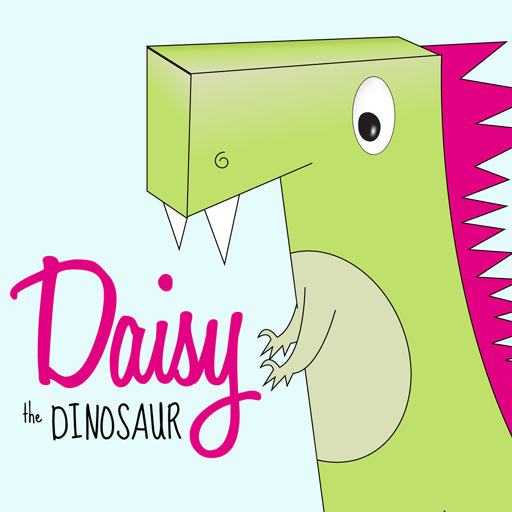
In Mrs. Bishop's kindergarten this morning, we spent the first 30 minutes of our "Hour of Code" introducing the VERY basics of coding (Mrs. Bishop described them as "directions" to make the character move, and they need to be done in the right order) and using the app Daisy the Dinosaur. We used Air Server to reflect the iPad onto her screen and show them how to use Daisy the Dinosaur. We then had them go to their seats and get started. They worked on Daisy the Dinosaur for 10-15 minutes, then Mrs. Bishop had them take a screenshot of their work and post to Seesaw, writing a sentence about what they had Daisy do with their coding directions (i.e. "She spun." "She jumped", etc).
The second thirty minutes of our Hour of Code was spent BRIEFLY introducing the app Kodable, then letting the kids worked. They REALLY loved this app, and it kept them busy for the 30 minutes and beyond. Mrs. Bishop does a wonderful job of only helping her kids a little tiny bit - they need to persevere through the challenges and figure out where mistakes are happening. This is the real value of learning to code in kindergarten! I also loved how they would help each other out when someone got stuck. Anyone who thinks that 1:1 iPads make for a non-collaborative classroom should observe kids when they are learning to code! They worked together so well.
Thanks for inviting me in, Mrs. Bishop! I loved watching your kindergartners celebrate when they finally made it through a challenging level!
A couple other teacher fave apps are:
Don't think that YOU need to know how to code in order to let your kiddos code! You don't! I have NO STINKING IDEA how to code, and had many kindergartners who became more skilled than I was. They were our classroom experts and other kids could go to them for help. There are so many awesome websites, programs and apps that do the work for you. Just give your kids access! I was at Eagle Cliffs today, and Mrs. Scheafer talked about how she uses the coding apps right along with her 2nd graders. Many have passed her on "levels" but they love playing along with her and showing her the new things they are learning.
Check out code.org, the Hour of Code, Tynker, Khan Academy, or Google Computer Science First. These are all awesome resources to get your kids started, and help you learn the ropes. The Google CS First program even sends you a free kit!
In Mrs. Bishop's kindergarten this morning, we spent the first 30 minutes of our "Hour of Code" introducing the VERY basics of coding (Mrs. Bishop described them as "directions" to make the character move, and they need to be done in the right order) and using the app Daisy the Dinosaur. We used Air Server to reflect the iPad onto her screen and show them how to use Daisy the Dinosaur. We then had them go to their seats and get started. They worked on Daisy the Dinosaur for 10-15 minutes, then Mrs. Bishop had them take a screenshot of their work and post to Seesaw, writing a sentence about what they had Daisy do with their coding directions (i.e. "She spun." "She jumped", etc).
The second thirty minutes of our Hour of Code was spent BRIEFLY introducing the app Kodable, then letting the kids worked. They REALLY loved this app, and it kept them busy for the 30 minutes and beyond. Mrs. Bishop does a wonderful job of only helping her kids a little tiny bit - they need to persevere through the challenges and figure out where mistakes are happening. This is the real value of learning to code in kindergarten! I also loved how they would help each other out when someone got stuck. Anyone who thinks that 1:1 iPads make for a non-collaborative classroom should observe kids when they are learning to code! They worked together so well.
Thanks for inviting me in, Mrs. Bishop! I loved watching your kindergartners celebrate when they finally made it through a challenging level!
A couple other teacher fave apps are:
Most are free apps, but Lightbot is $2.99. Happy coding!
Friday, November 13, 2015
Coding in the Classroom
Why teach your kids to code? Why the heck not?! Coding is an awesome way to teach critical thinking and problem solving skills. Jobs involving coding also rank very high on the list of Best Jobs of 2015, and this number is expected to grow. Becoming fluent in the language of code will allow students to pursue jobs in a fast-growing and well-paying field. Plus ... it can be really fun!
Code.org is an awesome resource for any teacher wanting to get started in this field. I introduced my kindergartners to coding by using the free apps Kodable and Daisy the Dinosaur. Many of my kids absolutely loved this activity, and when they had "Free App Friday" time, they would always choose to practice coding with one of these apps. Some of them became "experts" (definitely beyond my skill level, LOL) and would help one another when they got into trickier coding scenarios.
I absolutely love this article by Kristi Meeuwse about coding in kindergarten. She gives some awesome examples and even shows how her kids code "offline", like this image below.
Edudemic has a great article about coding in the classroom, along with some videos ad resources. Click here to read Coding in the Classroom: 16 Top Resources. Hour of Code happens during the week of December 7-13th, and I would encourage you to take this time to let your kids (and yourself!) dabble in some coding. You may find that you and your kids love it, and that it will allow some of your kids to really shine!
Labels:
coding,
hour of code,
ipad apps,
tech in the classroom
Subscribe to:
Posts (Atom)