Keep reading for this and more Valentine's Day ideas!
Showing posts with label technology rocks. Show all posts
Wednesday, February 8, 2017
LOVE-ly Ideas for Valentine's Day!
I read this awesome blog post by Erin Flanagan, where she presents TONS of awesome ideas for integrating technology for Valentine's Day-themed projects. She has some great resources in her Teachers Pay Teachers store to make this quick and easy for you.
Monday, December 12, 2016
Monday, February 8, 2016
LOVE-ly Ways to Integrate Tech into Valentine's Day!
I read this awesome blog post by Erin Flanagan, where she presents TONS of awesome ideas for integrating technology for Valentine's Day-themed projects. She has some great resources in her Teachers Pay Teachers store to make this quick and easy for you.
Another awesome site to visit is Technology Rocks. Seriously. She always creates amazing collections of games, resources, online books, etc. for special holidays. CLICK HERE to view her Valentine's Day collection.
There are so many great ideas on Pinterest for incorporating Valentine's Day with STEM learning. Here is my Pinterest board with some ideas. I would recommend that once students complete these ideas, you could use an app like Seesaw to have students take a picture, then write and record their thinking and conclusions about this project. Have I mentioned that I LOVE Seesaw?! Ha!
On of my favorite Valentine's Day activities in my classroom was making a book out of their valentines. I found this idea in Deanna Jump's Valentine's Day Math and Literacy Fun pack.
Students sort their valentines (by superhero, princesses, cartoon characters, cars & trucks, etc) and then paste onto different pages of a paper book. My students always loved this, and it was a great way to use those valentines for a fun sorting activity. If you want to "tech it up a notch", I think it would be fun to have kids sort their valentines, then take pictures using an iPad and upload to Seesaw, Book Creator or a similar tool to share their valentine collections!
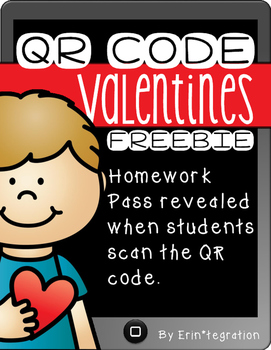
I also love Erin's FREE QR Code Valentine freebies. Click the image below to download your own copy. Super cute and fun idea!
She mentions letting students create valentines using Haiku Deck - you could also use your Google Apps for this. Maybe a Google Drawing (have image options in the gray space for them to drag in), or use Google Slides to make a Valentine's Day card or class ebook. Or use Book Creator, one of my fave apps! (Full version is $4.99, but the free version will work for this!) We'll be making some valentines in K-2 this week, using Feltboard and/or Pic Collage Kids, then uploading to Seesaw for words and audio. I think their families will love seeing their special valentines! I will add examples when they're finished.
Inspired by her post, I created a collection of resources on Participate Learning that contains ideas and tools for Valentine's Day. Let me know if you have ideas to add!
Another awesome site to visit is Technology Rocks. Seriously. She always creates amazing collections of games, resources, online books, etc. for special holidays. CLICK HERE to view her Valentine's Day collection.
There are so many great ideas on Pinterest for incorporating Valentine's Day with STEM learning. Here is my Pinterest board with some ideas. I would recommend that once students complete these ideas, you could use an app like Seesaw to have students take a picture, then write and record their thinking and conclusions about this project. Have I mentioned that I LOVE Seesaw?! Ha!
On of my favorite Valentine's Day activities in my classroom was making a book out of their valentines. I found this idea in Deanna Jump's Valentine's Day Math and Literacy Fun pack.
Students sort their valentines (by superhero, princesses, cartoon characters, cars & trucks, etc) and then paste onto different pages of a paper book. My students always loved this, and it was a great way to use those valentines for a fun sorting activity. If you want to "tech it up a notch", I think it would be fun to have kids sort their valentines, then take pictures using an iPad and upload to Seesaw, Book Creator or a similar tool to share their valentine collections!
I also love Erin's FREE QR Code Valentine freebies. Click the image below to download your own copy. Super cute and fun idea!
Happy Valentine's Day, friends!
Thursday, December 10, 2015
Technology Rocks. Seriously.
If you haven't checked out this awesome blog, you definitely should! This amazing woman always puts together the coolest seasonal posts, with collections of digital tools and activities for your students to use. Her latest post is about reindeer, and features Santa's official Live Reindeer Cam, as well as tons of Christmas-themed learning games for your students. If you haven't checked it out before, definitely take some time to do so! I would often utilize her collections of computer activities when my kindergartners had "computer time", either from a lab or during centers. They loved these activities! Click the image below to view her Reindeer Fun post.
Last year, Mrs. Bishop and I had each of our kindergarten classes study reindeer, and then view the reindeer on the reindeer cam. We used our class Twitter accounts to share information and questions about reindeer back and forth between our classes. It was such a fun activity! Here is a little snippet ...
Getting your kids started using social media like Twitter in the classroom can be really fun and rewarding. Students can share their learning, and discover how to use social media as a tool. It also helps us create a positive message about what is happening in our awesome #BPSclassrooms! If you're interested in starting, but don't know how ... let me know! I'd love to come help. @TraciPiltz @MrsPiltzK
Subscribe to:
Posts (Atom)